
Wir sehen uns nur noch zwei Stunden pro Woche!

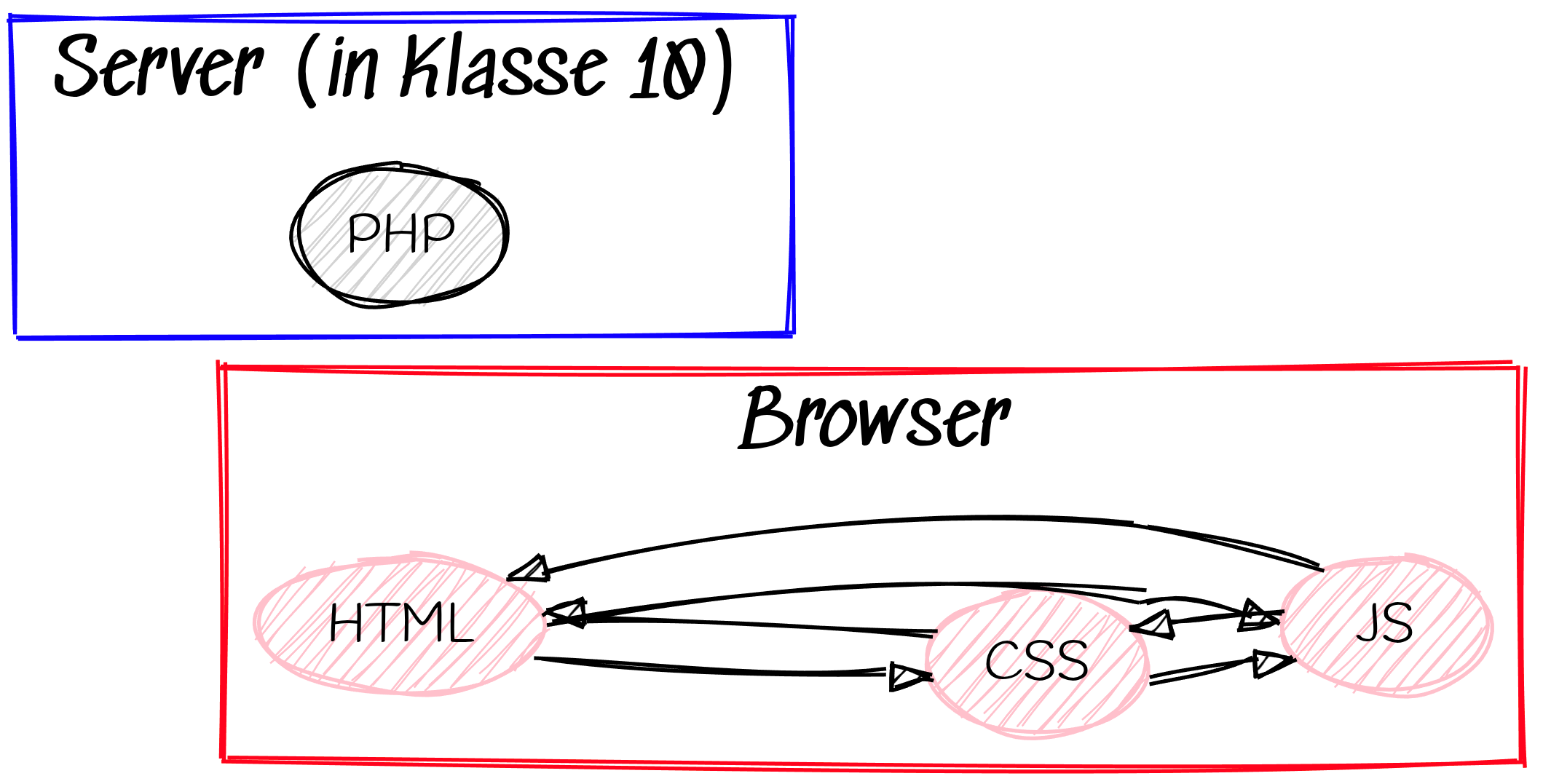
Vierte jetzt neue Technologie: PHP
https://www.programiz.com/php/online-compiler/
Sende am Ende der Stunde den von Dir generierten Code per Mail.
date_default_timezone_set("Europe/Berlin");
$timestamp = time();
$datum = date("d.m.Y",$timestamp);
$uhrzeit = date("H:i",$timestamp);
echo $datum," - ",$uhrzeit," Uhr";// Serverseitige Hash-Erzeugung (z.B. bei Registrierung)
$hash = password_hash($_POST['password'], PASSWORD_DEFAULT);
$storedHash = '...'; // wie kommt man da nur heran? Tipp: Einmal vorher per echo das gehashte Passwort ausgeben und kopieren.
// Serverseitige Verifikation (z.B. bei Login)
if (password_verify($_POST['password'], $storedHash)) {
echo "Login erfolgreich";
} else {
echo "Login fehlgeschlagen";
}<!DOCTYPE html>
<html lang="de">
<head>
<meta charset="UTF-8" />
<meta name="viewport" content="width=device-width, initial-scale=1" />
<title>Chat-Formular</title>
<style>
body {
font-family: Arial, sans-serif;
background: #f5f5f5;
display: flex;
justify-content: center;
align-items: center;
height: 100vh;
}
#chat-container {
width: 400px;
height: 600px;
background: white;
border-radius: 8px;
box-shadow: 0 2px 10px rgba(0,0,0,0.1);
display: flex;
flex-direction: column;
}
#chat-box {
flex-grow: 1;
padding: 10px;
overflow-y: auto;
border-bottom: 1px solid #ddd;
}
.message {
margin: 8px 0;
padding: 10px 15px;
border-radius: 20px;
max-width: 70%;
clear: both;
}
.user-message {
background-color: #007bff;
color: white;
float: right;
text-align: right;
}
.bot-message {
background-color: #e5e5ea;
color: black;
float: left;
text-align: left;
}
#chat-form {
display: flex;
padding: 10px;
}
#chat-input {
flex-grow: 1;
border: 1px solid #ddd;
border-radius: 20px;
padding: 10px 15px;
font-size: 16px;
}
#chat-submit {
background-color: #007bff;
border: none;
color: white;
padding: 0 20px;
margin-left: 10px;
border-radius: 20px;
font-size: 16px;
cursor: pointer;
}
#chat-submit:hover {
background-color: #0056b3;
}
</style>
</head>
<body>
<div id="chat-container">
<div id="chat-box">
<?php
echo "Hello World";
?>
</div>
<form id="chat-form">
<input type="text" id="chat-input" placeholder="Schreib eine Nachricht..." autocomplete="off" required />
<button type="submit" id="chat-submit">Senden</button>
</form>
</div>
</body>
</html>Theorieteil: Mehrdimensionale Arrays am Beispiel von XXO
<?php
session_start();
?>
<!DOCTYPE html>
<html lang="de">
<head>
<meta charset="UTF-8" />
<meta name="viewport" content="width=device-width, initial-scale=1" />
<title>Chat-Formular</title>
<style>
  body {
    font-family: Arial, sans-serif;
    background: #f5f5f5;
    display: flex;
    justify-content: center;
    align-items: center;
    height: 100vh;
  }
  #chat-container {
    width: 400px;
    height: 600px;
    background: white;
    border-radius: 8px;
    box-shadow: 0 2px 10px rgba(0,0,0,0.1);
    display: flex;
    flex-direction: column;
  }
  #chat-box {
    flex-grow: 1;
    padding: 10px;
    overflow-y: auto;
    border-bottom: 1px solid #ddd;
  }
  .message {
    margin: 8px 0;
    padding: 10px 15px;
    border-radius: 20px;
    max-width: 70%;
    clear: both;
  }
  .user-message {
    background-color: #007bff;
    color: white;
    float: right;
    text-align: right;
  }
  .bot-message {
    background-color: #e5e5ea;
    color: black;
    float: left;
    text-align: left;
  }
  #chat-form {
    display: flex;
    padding: 10px;
  }
  #chat-input {
    flex-grow: 1;
    border: 1px solid #ddd;
    border-radius: 20px;
    padding: 10px 15px;
    font-size: 16px;
  }
  #chat-submit {
    background-color: #007bff;
    border: none;
    color: white;
    padding: 0 20px;
    margin-left: 10px;
    border-radius: 20px;
    font-size: 16px;
    cursor: pointer;
  }
  #chat-submit:hover {
    background-color: #0056b3;
  }
</style>
</head>
<body>

<div id="chat-container">
  <div id="chat-box">
<?php

if(!array_key_exists('chatverlauf', $_SESSION))
{
    $_SESSION['chatverlauf']=array();
}elseif(array_key_exists('chatverlauf', $_SESSION) and array_key_exists('eingabe', $_POST)) {

    if($_POST['eingabe']=='destroy chat'){
        session_destroy();
    }else {
        array_push($_SESSION['chatverlauf'],$_POST['eingabe']);
        print_r($_SESSION['chatverlauf']);
    }

}
else{
    print_r($_SESSION['chatverlauf']);
}

?>

  </div>
  <form id="chat-form" method="post">
    <input type="text" name="eingabe" id="chat-input" placeholder="Schreib eine Nachricht..." autocomplete="off" required />
    <button type="submit" id="chat-submit">Senden</button>
  </form>
</div>

</body>
</html>